End of Year Updates for Rave Kiwi Builders
In our last blog post, we said it was five weeks until Christmas… and now it’s less than three! The countdown is on, and everyone is racing to finish those last-minute projects. Soon, we’ll be swapping deadlines for jandals, and screens for sunshine. Ready to kick back and soak up a well deserved Kiwi summer.
But while the year may be winding down, our development team hasn’t hit the snooze button! They’ve been full steam ahead, rolling out a stack of brilliant new updates to make your experience even better. Just because it’s almost holiday time doesn’t mean we’re slowing down, we’re keeping the momentum going right into the festive season!
Calendar Syncing
As part of our ongoing commitment to making Rave the best product it can be, we’ve been working on Microsoft 365 and Google Calendar syncing. The first stage of this update allows you to sync your Google Calendar, your Microsoft Calendar, or one of each. Once connected, you’ll be able to see your availability directly within Rave, making it easier to create appointments, meetings, and tasks. With your permission, other users will only see when you are free or busy, your detailed calendar events will remain private, helping them avoid booking time when you’re unavailable. As this is a new feature, you will need to contact Support to have this turned on.

The next phase of calendar syncing will introduce branch-level activities, recurring appointments, and scheduled tasks being able to be sent to your external calendar. All of this is currently in testing and is planned for release early in the new year.
We’ve linked our new help articles so you can get ready ahead of the launch.

Custom Rave Calendar Colouring Set up - follow the custom activity colouring set up instructions here.
Google Calendar integration set up instructions here.
Microsoft/office 365 integration set up instructions here.
How to add Project Level activity meeting or task instructions using the calendar syncing feature here.
How to add CRM Level activity meeting or task instructions using the calendar syncing feature here.
Mail (Replacing Messages)
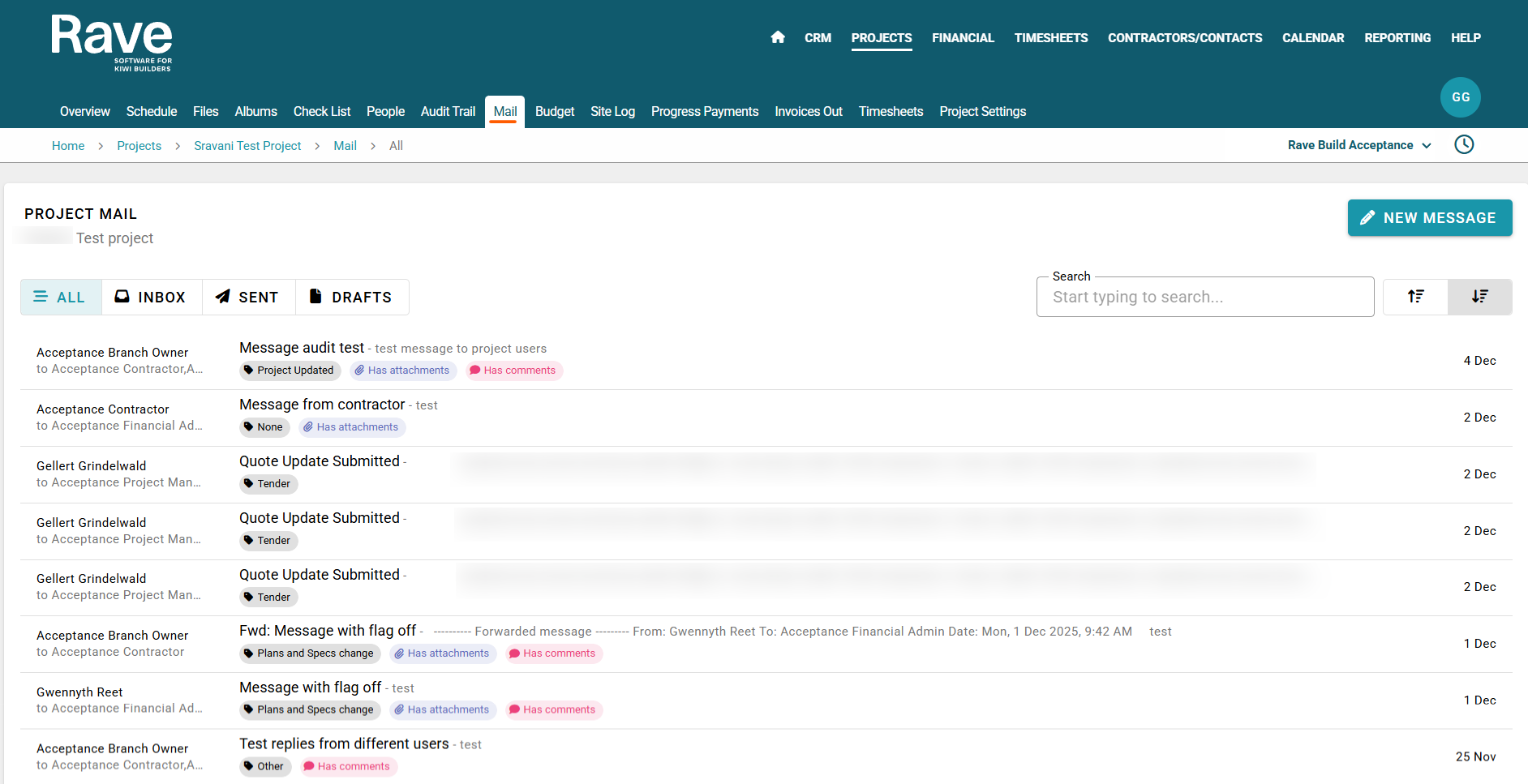
📨 Sneak Peek: Our New Mail Feature in Rave
We’ve been hard at work replacing our old messaging system in Rave with a completely new Mail feature — designed to feel and function much more like a modern email experience. This feature will be both in the CRM module and Project Module.
Here’s what’s coming:
✨ Email-Style Composition
Create and send messages with a clean, familiar interface.
📝 Templates & Drafts
Save drafts, build reusable templates, and streamline your communication workflow.
✍️ Signatures
Insert and manage custom signatures to keep your messages consistent and professional.
🖼️ Rich Content Support
Add images and format your messages with ease.
🏷️ Custom Tags
Organise mail with customisable tags so you can track conversations your way.
This feature will be available internally first as part of our soft-launch rollout. Once the internal release is stable, we’ll follow up with the next major step.
🚀 Email Syncing
Our upcoming email syncing feature will allow you to integrate external email accounts directly with Rave — so your communication stays unified and effortless.
Permissions
As part of ongoing permissions improvements, the CRM and Project Export abilities have been separated from export template permissions. This provides more granular control over who can export data from Rave and who can create and manage custom export templates. The new permission levels are broken into No Access, View Only and Full (Add/Edit/Delete). To read more about these permission updates you can choose the user group you wish to learn about from the help articles here.
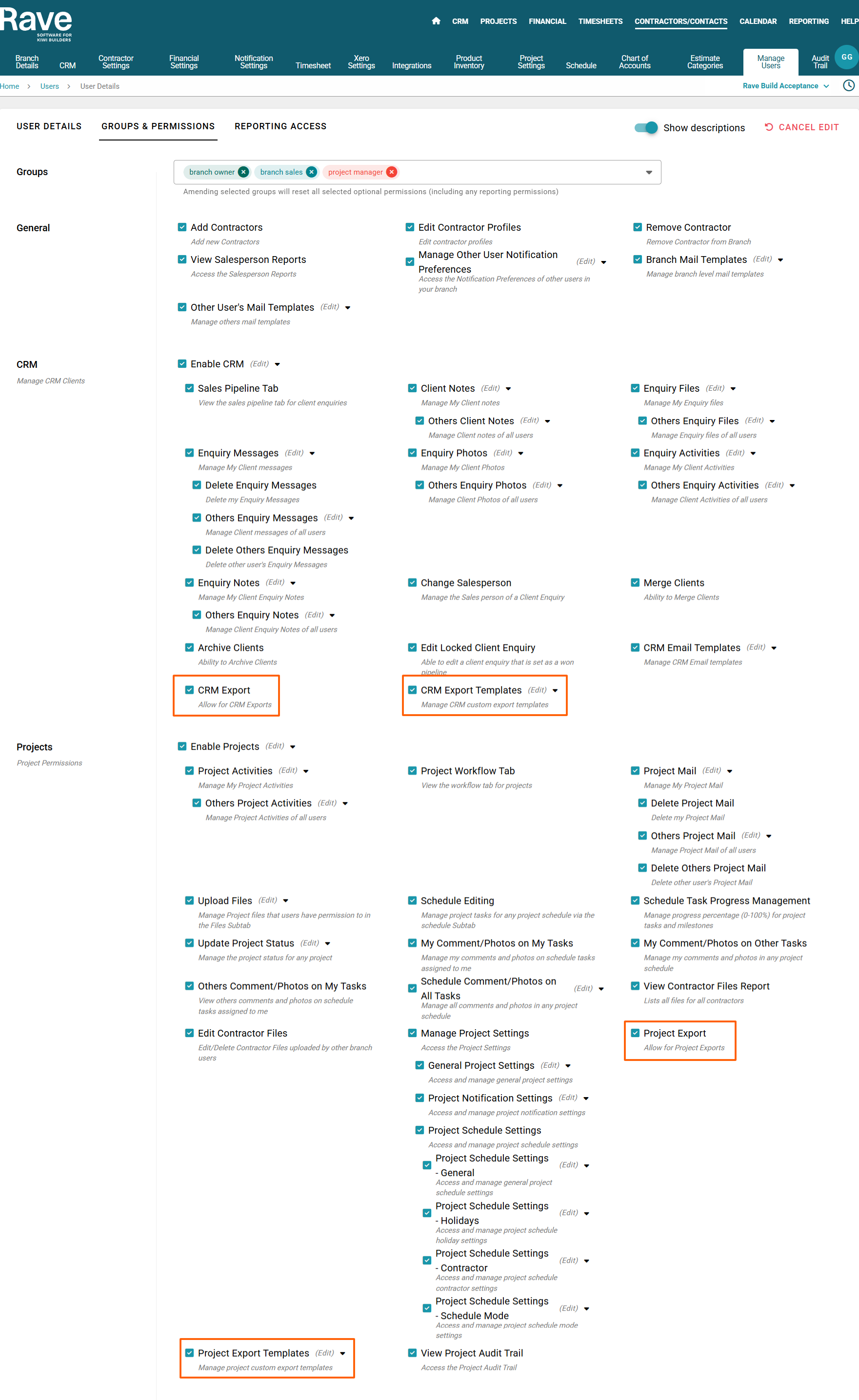
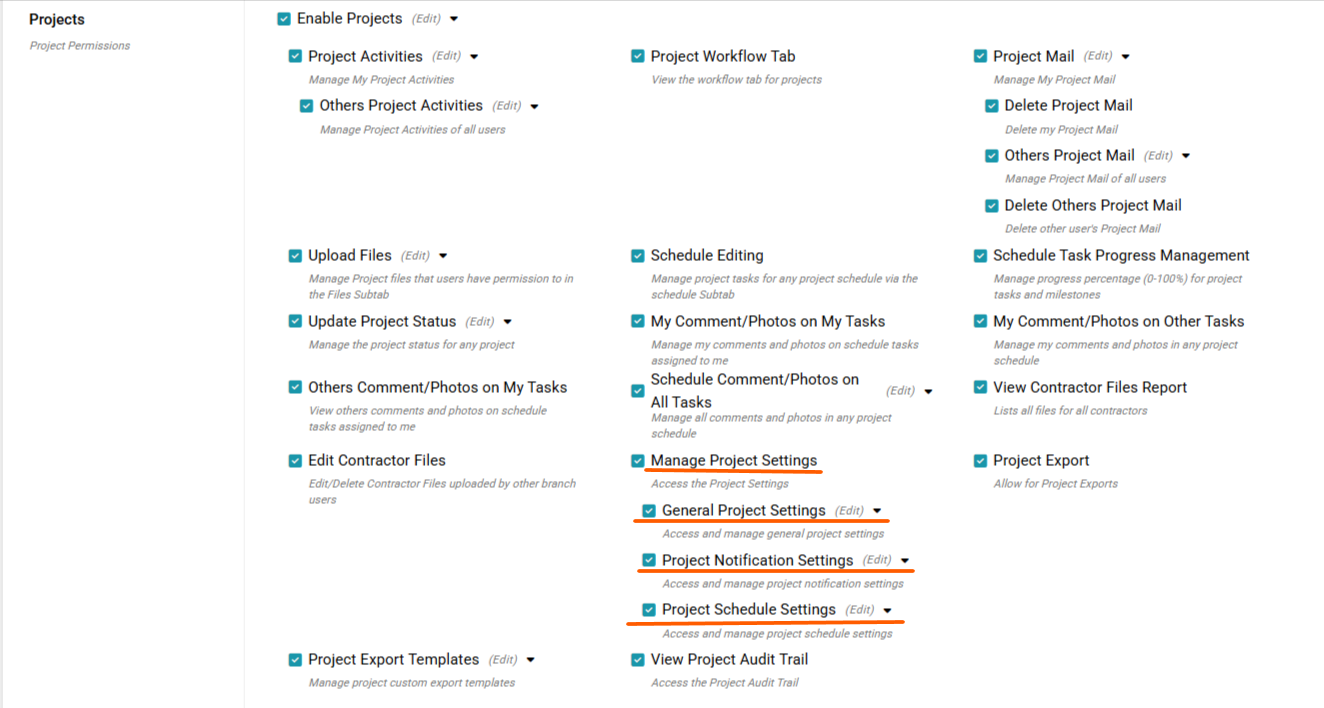
Following last month’s move of Project Schedule Settings to the Project Settings page, each project setting can now be controlled individually. You can assign permissions for General Project Settings, Notification Project Settings and Schedule Project Settings. Permission levels available are No Access, View Only, or Add/Edit/Delete. This allows for more precise control over who can view or modify different aspects of project settings. To read more about these permission changes please click here for the General and Notification Project Settings help article or here for the Schedule Project Settings help article.
Projects
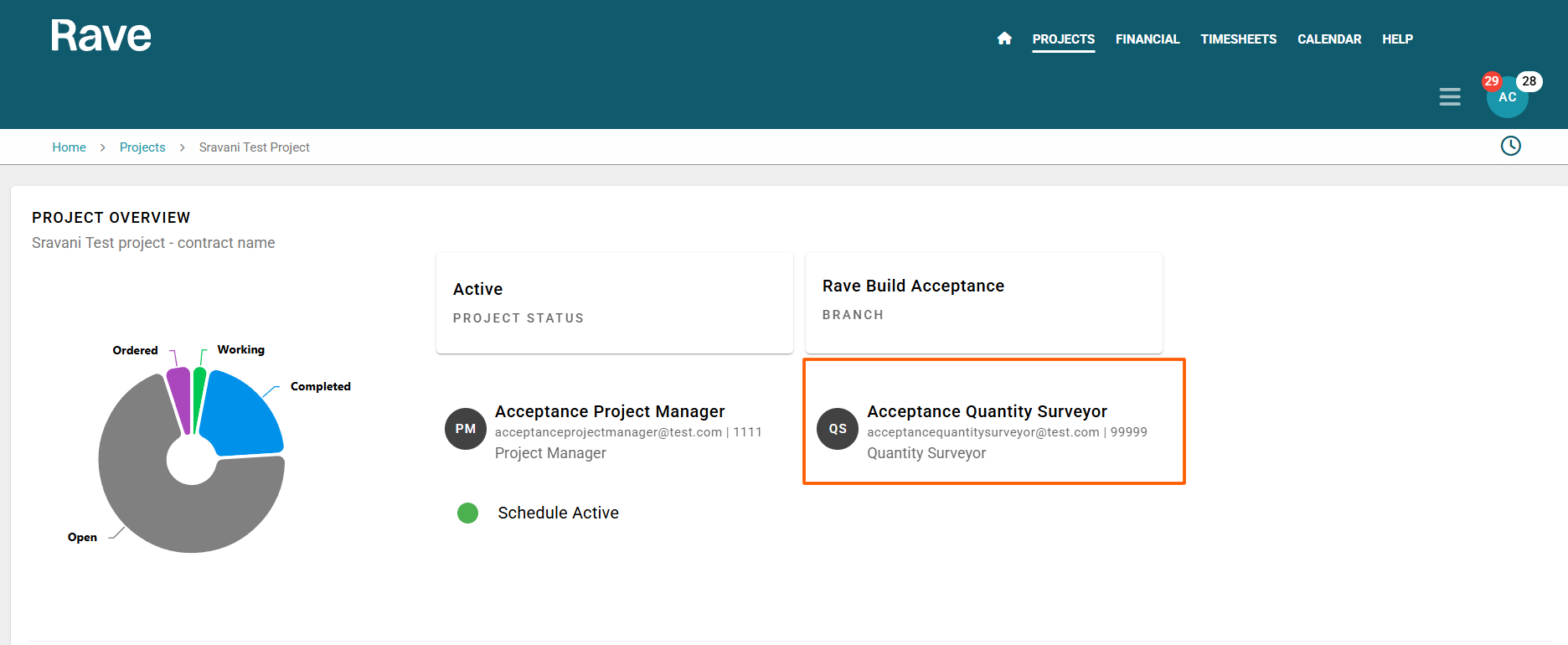
If the Project QS field is populated on the Project People tab, this information is now visible to Contractors on their Projects Overview page. The displayed details include Name, Email and Phone if applicable. To read more about the Contractor overview login please click here for the help article.
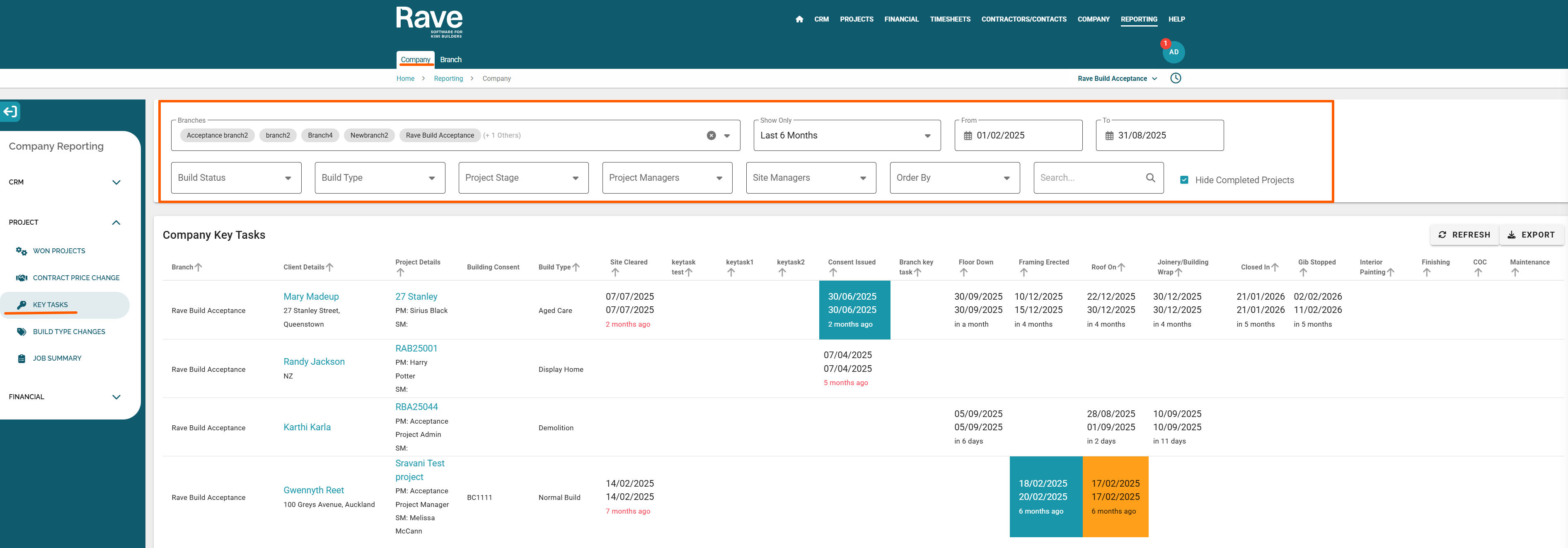
The Branch and Company Key Task Report enables tracking of key project milestones across all Rave branches, helping you monitor progress stages and maintain consistency across projects. We have enhanced the filtering options: you can now specify a From and To date. The report will include projects where either the key task start date or end date falls within the selected date range. To read more about this update click here for the help article.
Timesheets
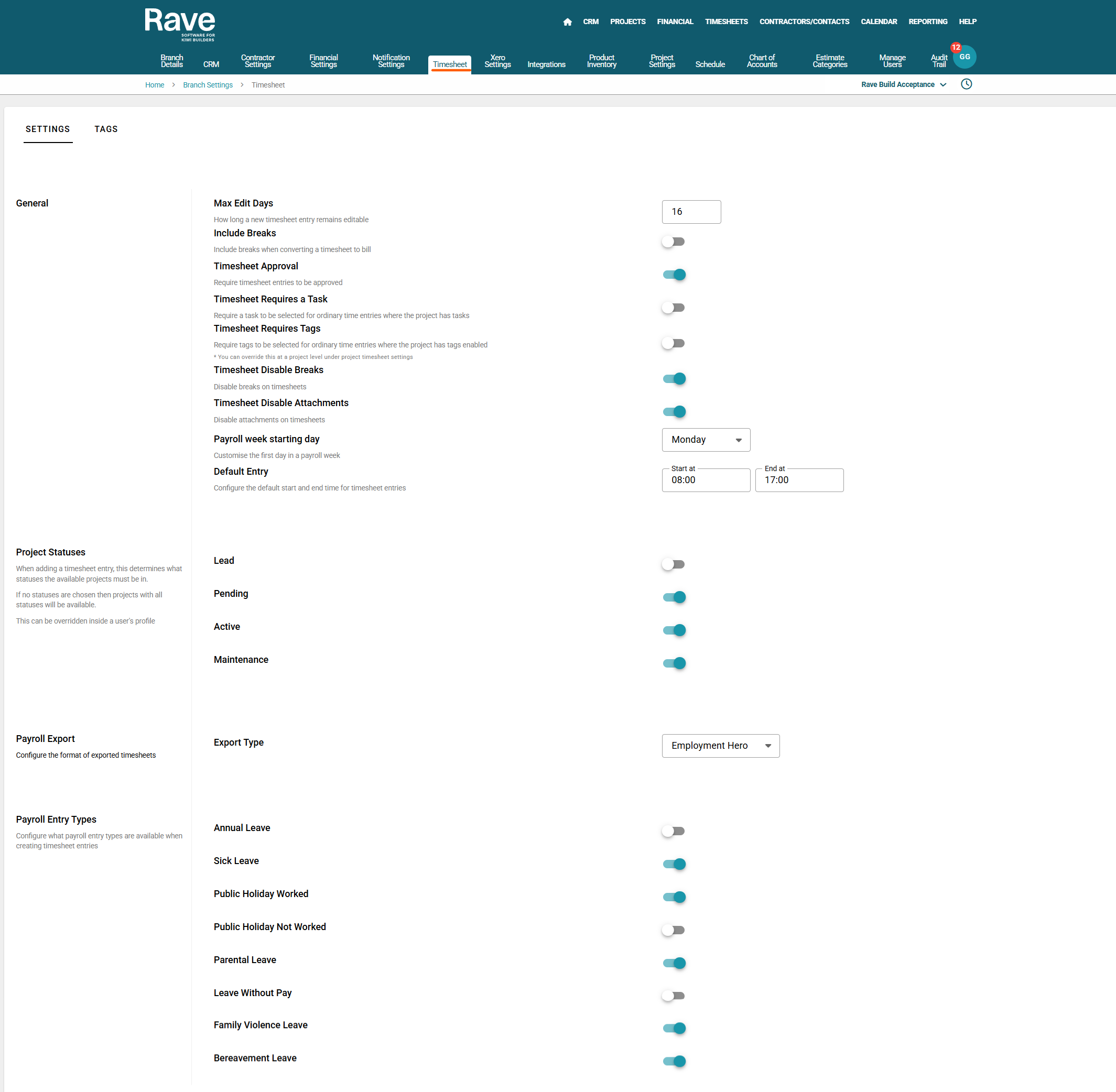
You now have the ability to enable or disable making a timesheet tag mandatory. This is avalaible at a branch level and then a per project level as well.
To read more about this at a per project level click here. To read more about this and other Timesheet Settings at a branch level click here.
Financial
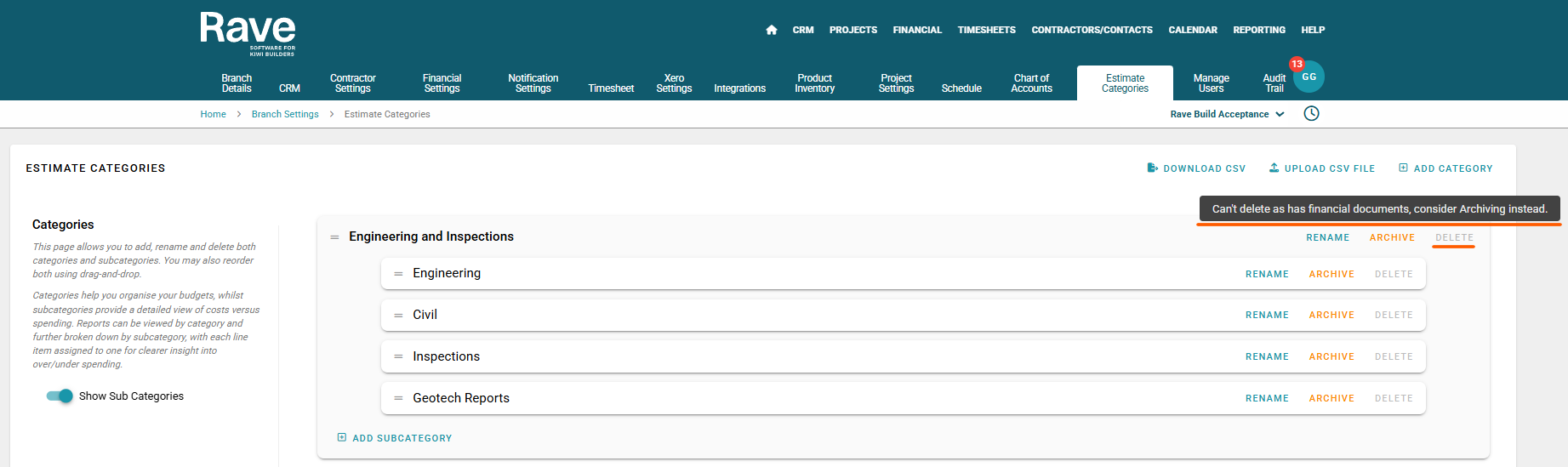
You asked, and we delivered! You now have the ability to archive and delete estimate categories and sub-categories in Rave. This gives you more control and flexibility when managing your estimates, helping you keep everything tidy, relevant, and easy to navigate. It’s a small change that makes a big difference to staying organised and streamlining your workflow. To read more about this update click here for the help article.
Users now have the ability to manage and delete attachments and notes associated with variations or stage claims on the progress payment page, even if these were added by another user. The permission is called Manage others' progress payment content. To read more about this update click here for the help article.

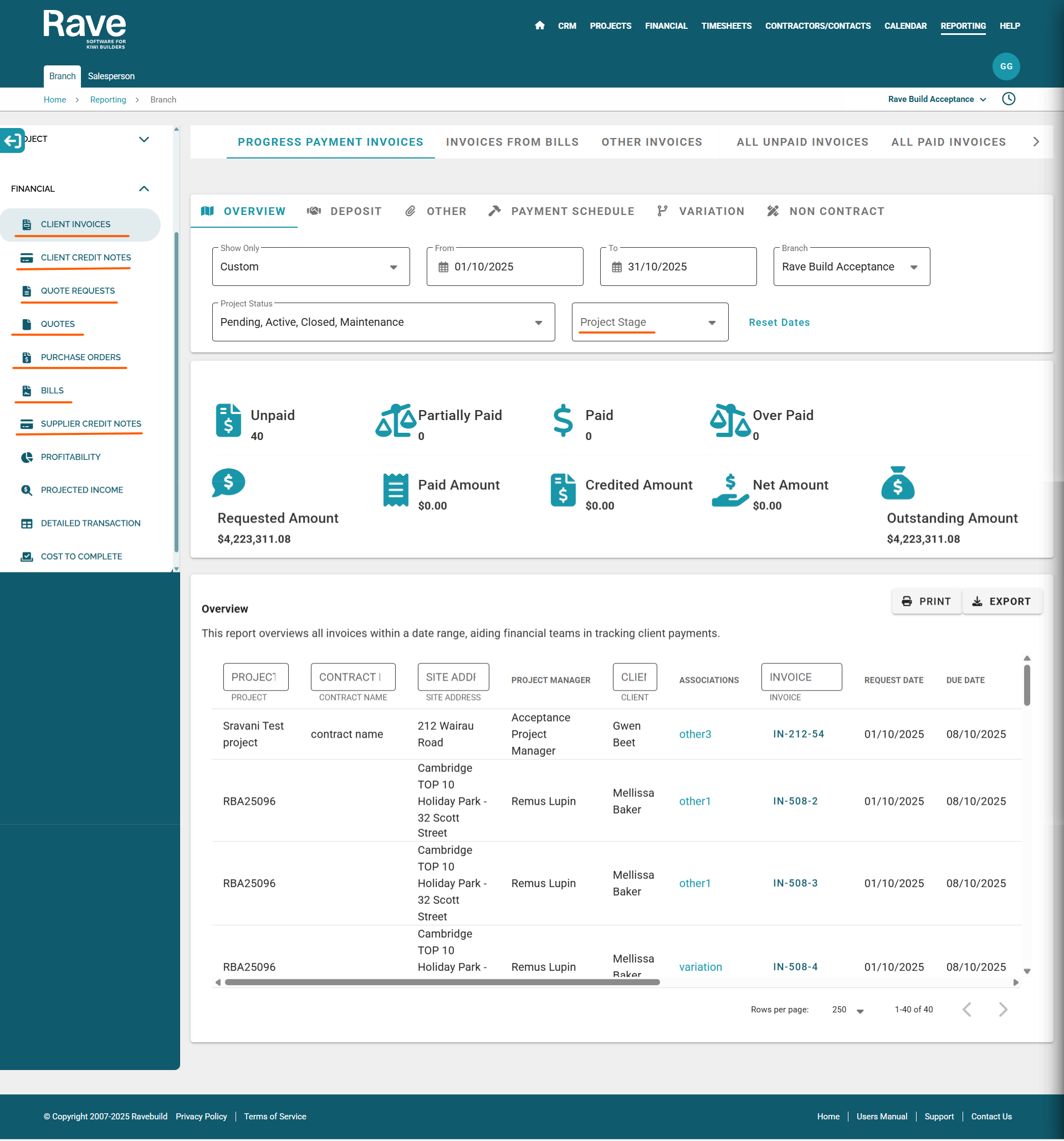
Now that our Project Workflow has been released, we’ve added the Project Stage filter box to all financial Document reports in Branch Financial Reporting. This new feature makes it easier to track project stages, improving financial accuracy and reducing the manual effort required when reviewing project data.
To read more about Financial Branch reporting click here for the various help articles.
Product Inventory codes now pull through to the Estimate and Variation page under the Financial Management Module.
To read more about creating client Estimates or variations please click here for the help articles.