Kicking Off 2026: January Update #1
Welcome to our first update for 2026.
Our team is well-rested and has kicked off the year with a bang. We’re aiming to bring you one to two updates each month, alongside our newsletter, which will include all newly released features as well as sneak peeks at what’s coming next.
Enquiries marked a WON - You can now move an enquiry from WON back to a different sales pipeline and clear the signed contract value and contract date. The full audit history is retained, however depending on the decision to reset the values or keep them the enquiry will no longer appear in WON reporting. To read more about this new feature click here.

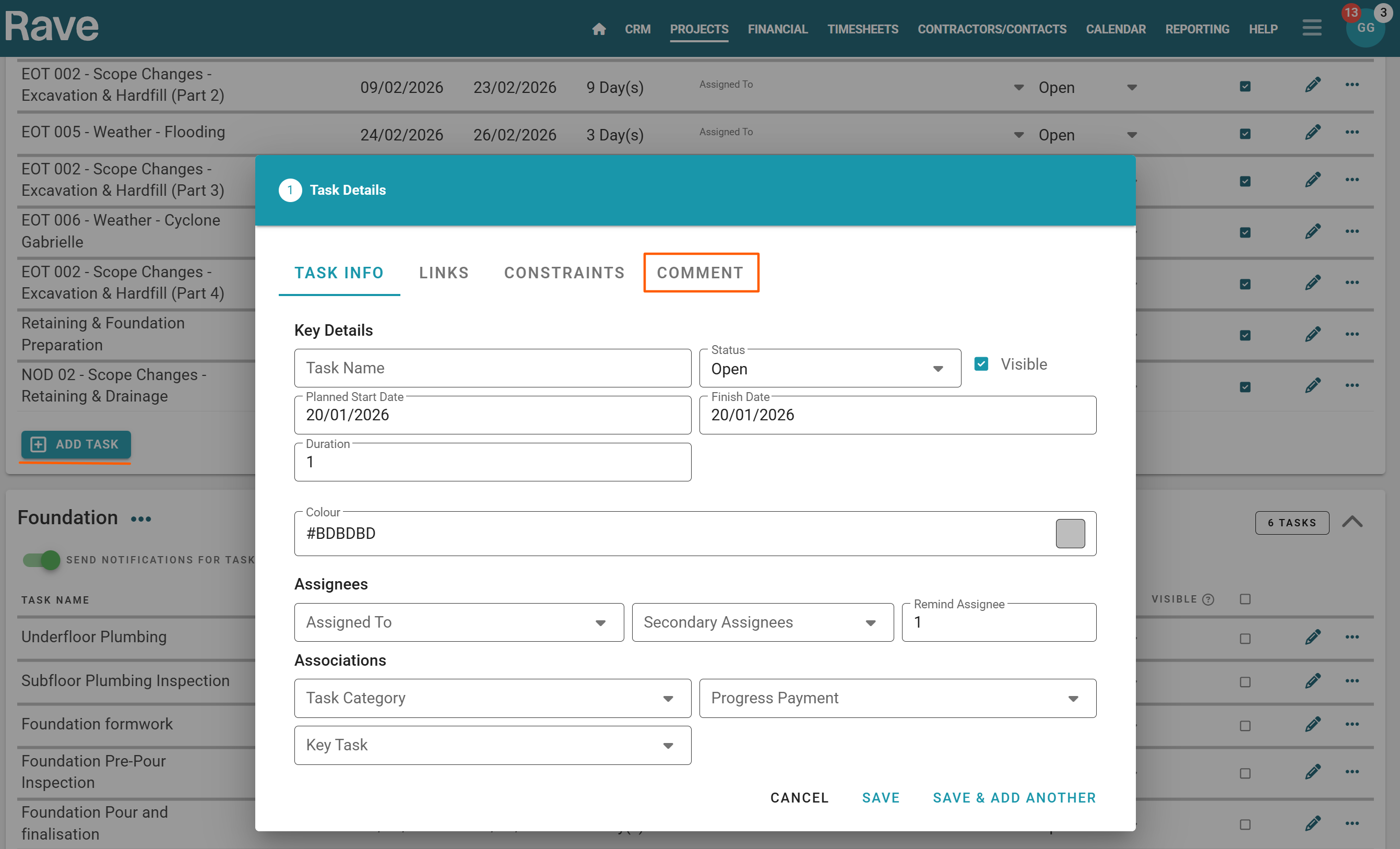
Project Schedule -When creating a new task in the schedule, you can now add a comment directly from the creation modal, saving time for the admin and project teams. When using the baseline lock feature, you can customise your schedule comment reasons, allowing you to track why tasks are moved or simply record general task comments.
To read more about schedule comments click here. To read more about setting up the customised reasons click here. To read more about locking the baseline and adding comments click here.
Schedule Print - You can now choose to print the schedule task list with No Asignees, Primary only, Secondary only or both. Giving you more choice on what people are given in printed form. To read more about printing schedules click here.

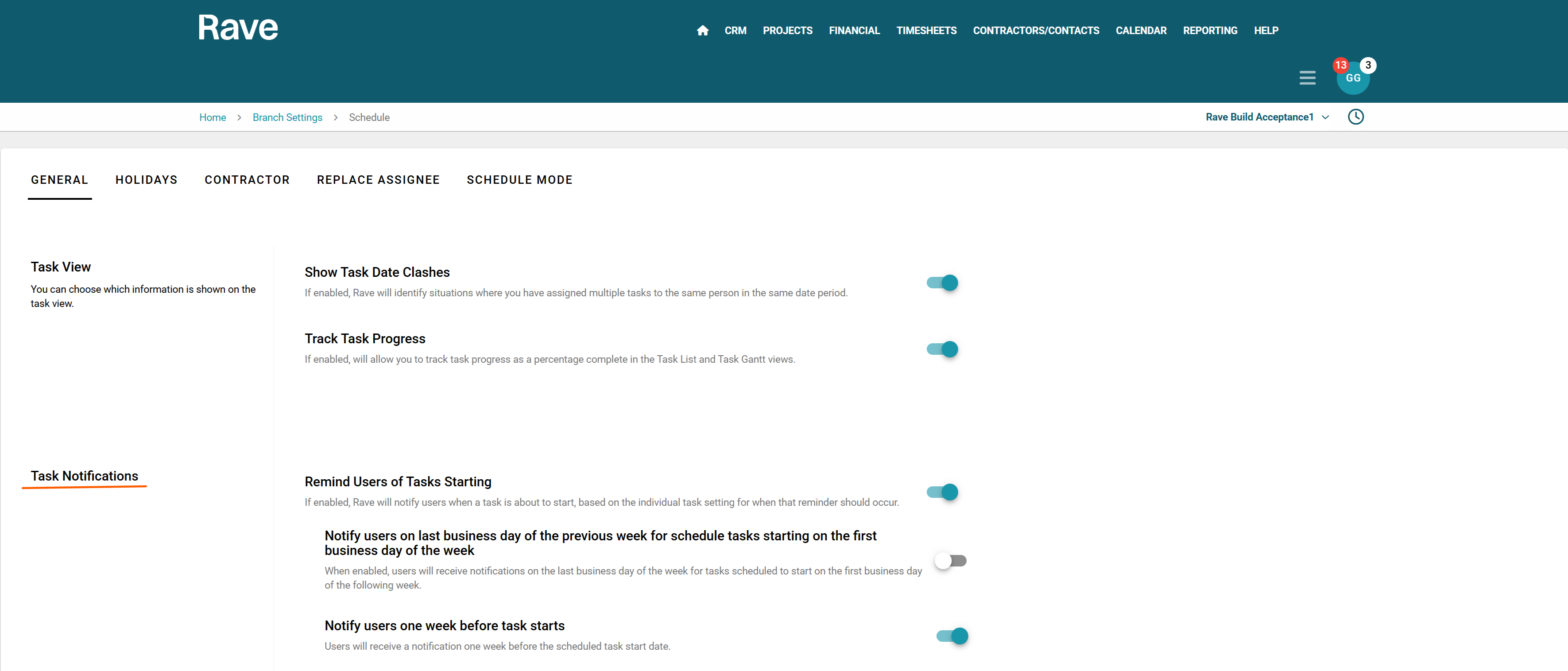
Schedule Notifications -When enabled, Rave will notify users when a task is about to start, based on the individual task setting for when that reminder should occur.
The new options are:
Notify users on last business day of the previous week for schedule tasks starting on the first business day of the week. When enabled, users will receive notifications on the last business day of the week for tasks scheduled to start on the first business day of the following week.
Notify users one week before task starts. When enabled, Users will receive a notification one week before the scheduled task start date. Note: These settings can be overridden at a project level. To read more about notifications click here for the help article. To read more about the branch level settings click here.
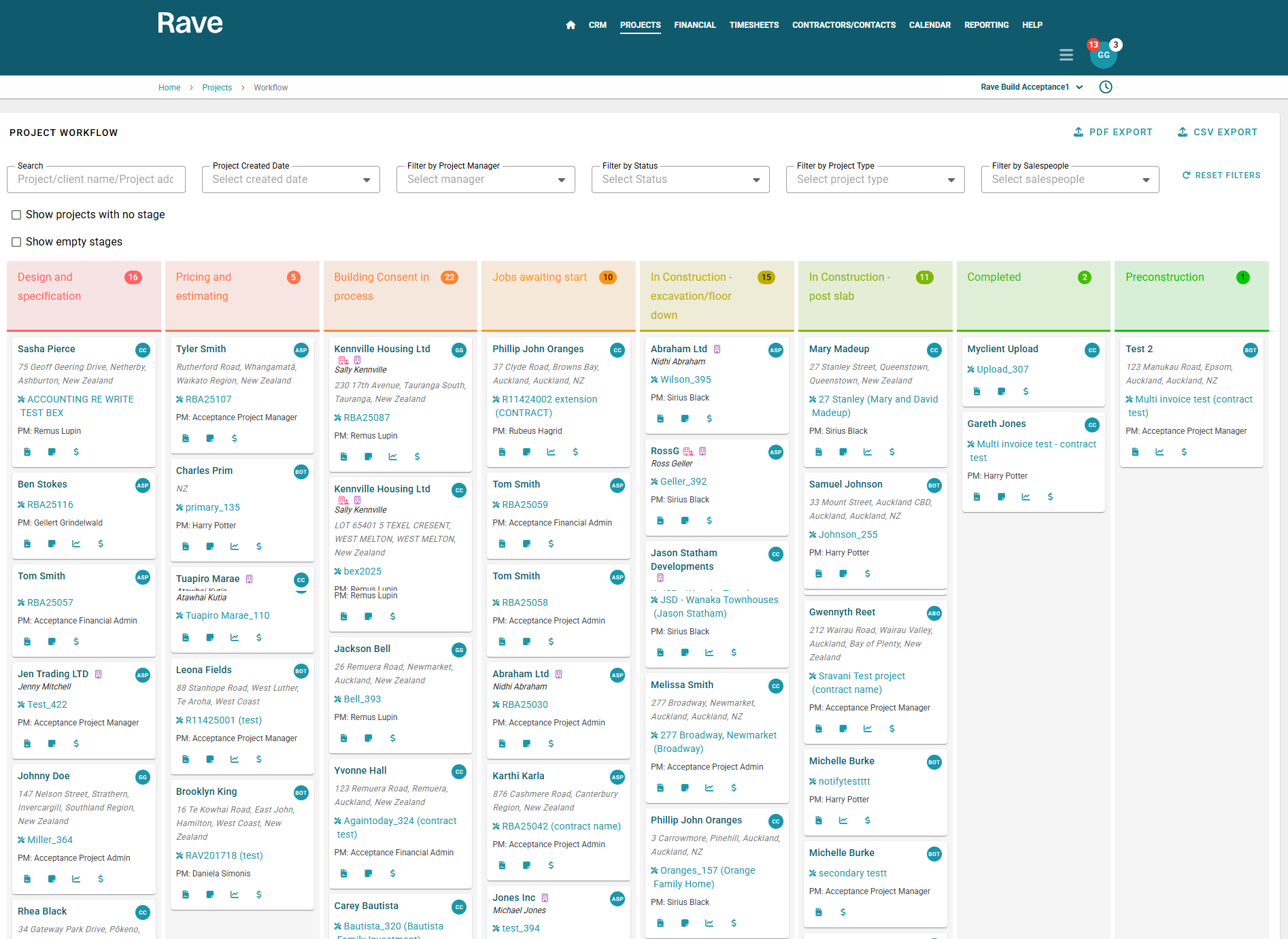
Project Workflow - We’ve added several new updates to our Project workflow, including a salesperson icon and Project Manager name on the project card, the ability to export projects via CSV or PDF (with or without filters applied), and new shortcuts for Budget, Schedule, and Notes.
There is also a new side scroll for those working on smaller screens which will move down the page as you continuously scroll. To read more about the Project Workflow tab click here.
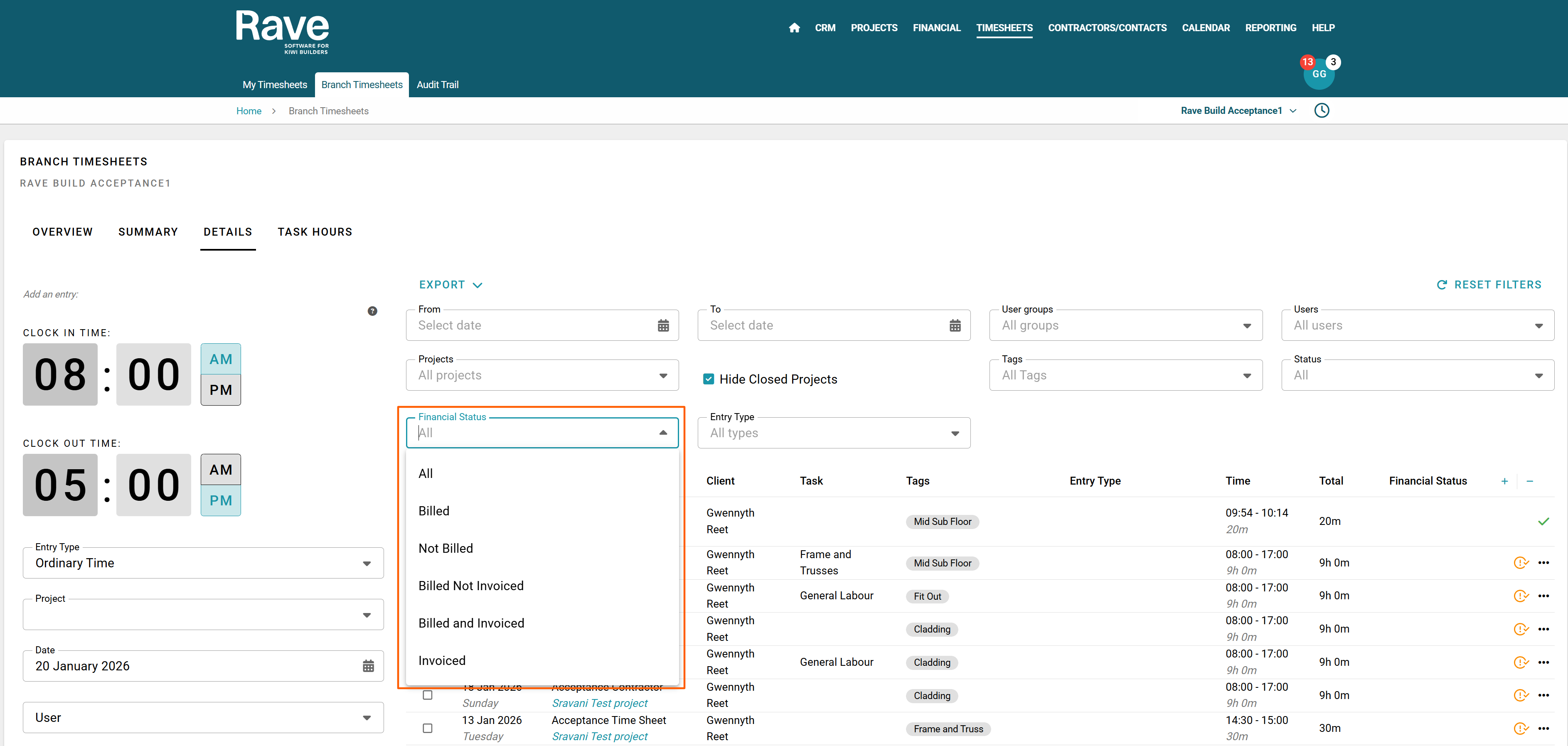
Those with Timesheets Advanced and Financial Management will now see financial status filters on the branch and project timesheets details page. This allows you to view if the timesheet entries are billed and invoiced or a combination of those options. Ensuring all labour has been billed and invoiced each cycle. To read more about the Details page click here.
Site Manager Permissions - We have added a new permission option for Site Managers to be able to approve Timesheets for their staff. You can enable this per site manager under the user permissions options. To read more about the permission options for Site Managers click here.

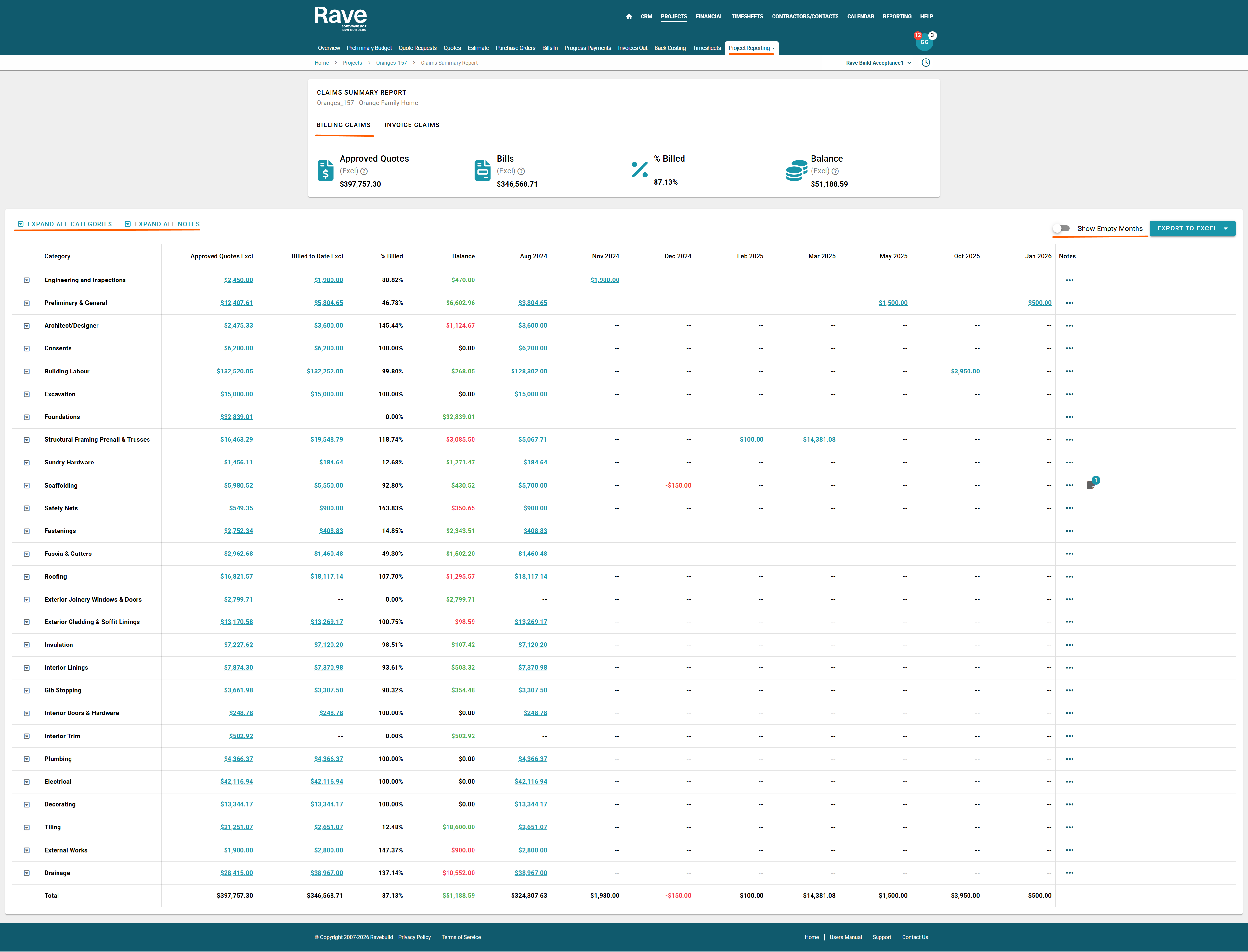
Project Financial Reporting - We now have two fantastic new high level reports that show the status and totals of supplier bills and credit notes (Bills report) and Client invoices/credit notes (invoice report) over the project by month. These reports help with improved cashflow management, payment approvals, reporting to banks, partners on fund requirements and much more. To Read about the Bill Claim Summary Report click here or the Invoice Claim Summary Report click here.
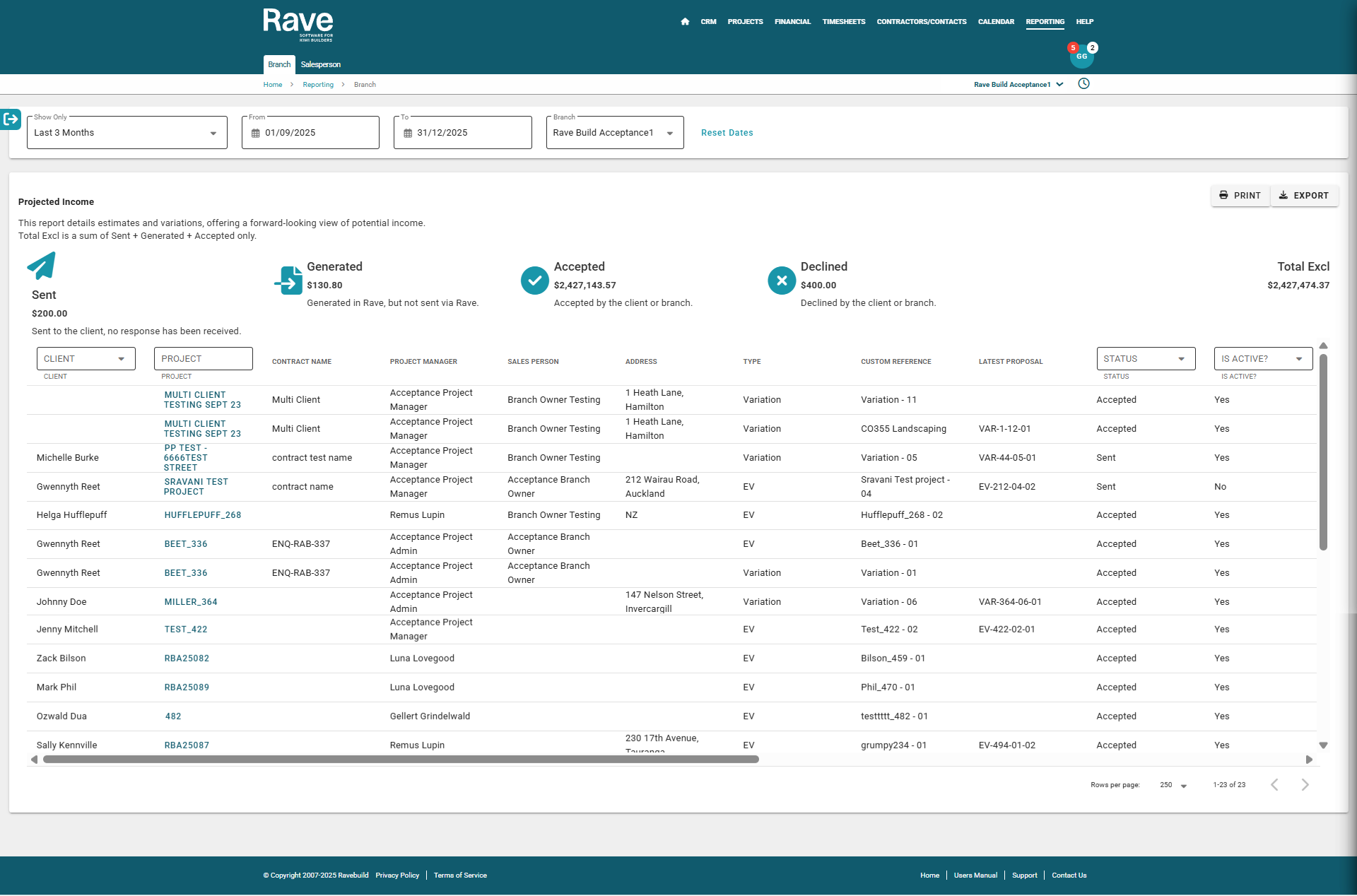
The Projected Income report (including export) now includes the Document Total Raw Costs, providing greater visibility into underlying costs when reviewing projects income via estimates outstanding or variations outstanding. To read more about the Projected Income Report click here.
Key Task Report - We have added the ability to colour code your Key Tasks in order to better manage and report on them. To read more about Setting Key Tasks click here. For the Key Task Report click here.