New in Rave Build, Checklist Sign Off, smarter notifications and My Todos
Rave’s latest Checklists update lets you require Sign Off on important checks before they’re marked complete. Project managers can choose which updates they receive, branches and projects can lock completed Todos, and the new My Todos view brings your assigned checklist work across projects into one place.

Before the next trade starts or a project moves to handover, someone needs to know which checks are done and which still need a second look. This Rave Build update gives teams a way to request Sign Off on important checklist items, keep project managers informed, and see their assigned Todos across projects in one place.
Get a second set of eyes on the checks that matter
Use Requires Sign Off on any checklist Todo that needs a review before it can be completed. You can also set it on checklist templates for checks you repeat across jobs. Choose an eligible staff member with the Checklist Sign Off Approval permission, or leave the approver blank to use the project’s Project Manager.
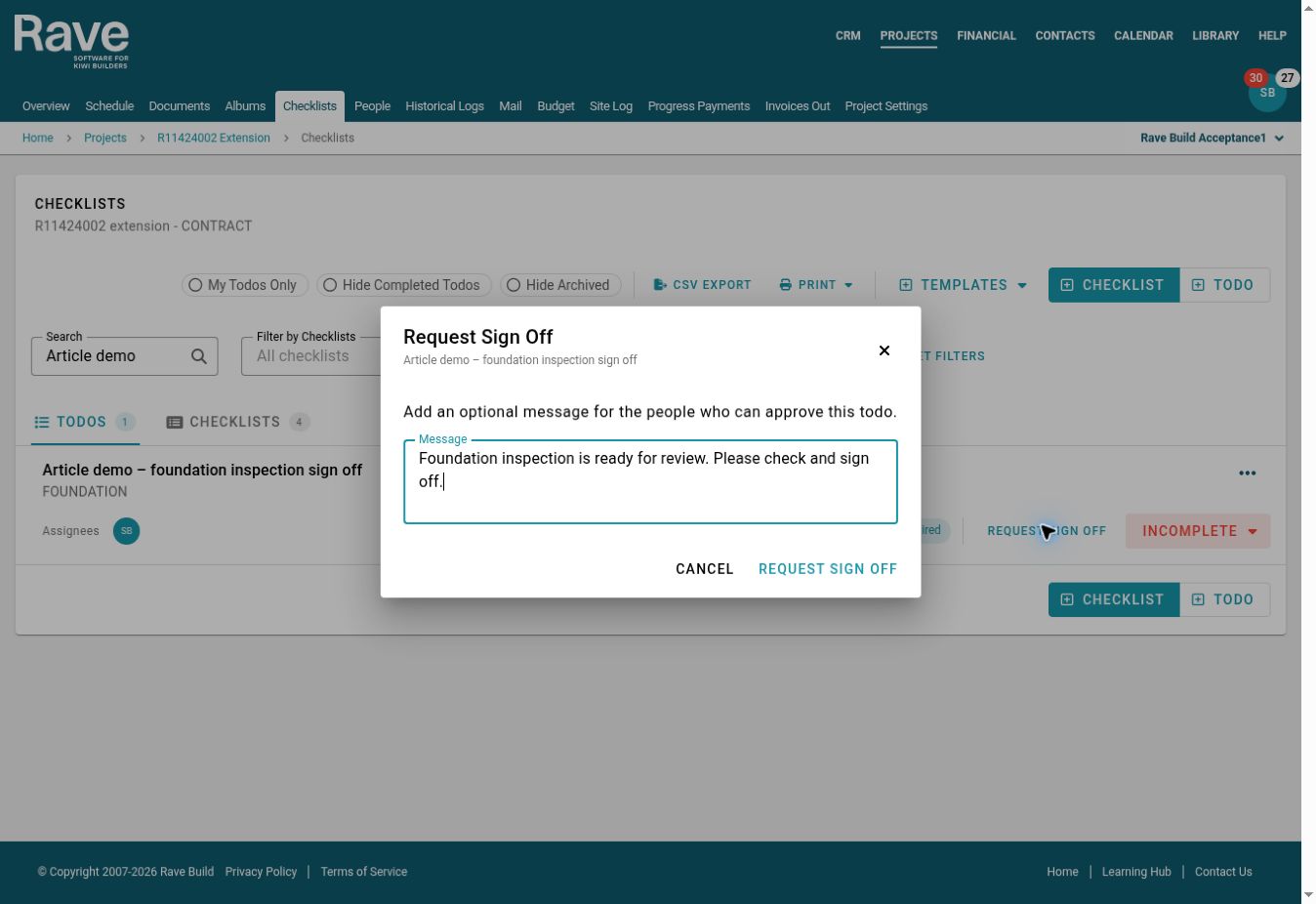
When the work is ready for review, the primary assignee requests Sign Off and can leave a message. Rave alerts the approver, who can accept or decline and add feedback. Accepting completes the Todo. If it’s declined, the Todo stays open and the primary assignee can make the changes and resubmit it. The request and decision are recorded in the Todo’s history.
If a client is the primary assignee, they’ll need a Rave login to request Sign Off. Rave flags this during assignment and links you to the client’s record so you can set up their access.
Give project managers control over checklist notifications
The Project Manager is automatically listed in every project checklist’s notification settings, even when they aren’t assigned to a Todo. They can choose which updates to receive by email or in Rave, set defaults for new checklists, and apply those defaults to existing checklists on the open projects they manage. They can also exclude specific projects.
Lock completed Todos
Turn on Lock Completed Checklists at branch level to protect completed Todos from accidental changes. Individual projects can follow the branch default or choose their own setting. Once a completed Todo is locked, only users with the Edit locked checklists permission can change it. The branch setting starts off, so you can enable it where your team needs it.
See your checklist work across projects with My Todos
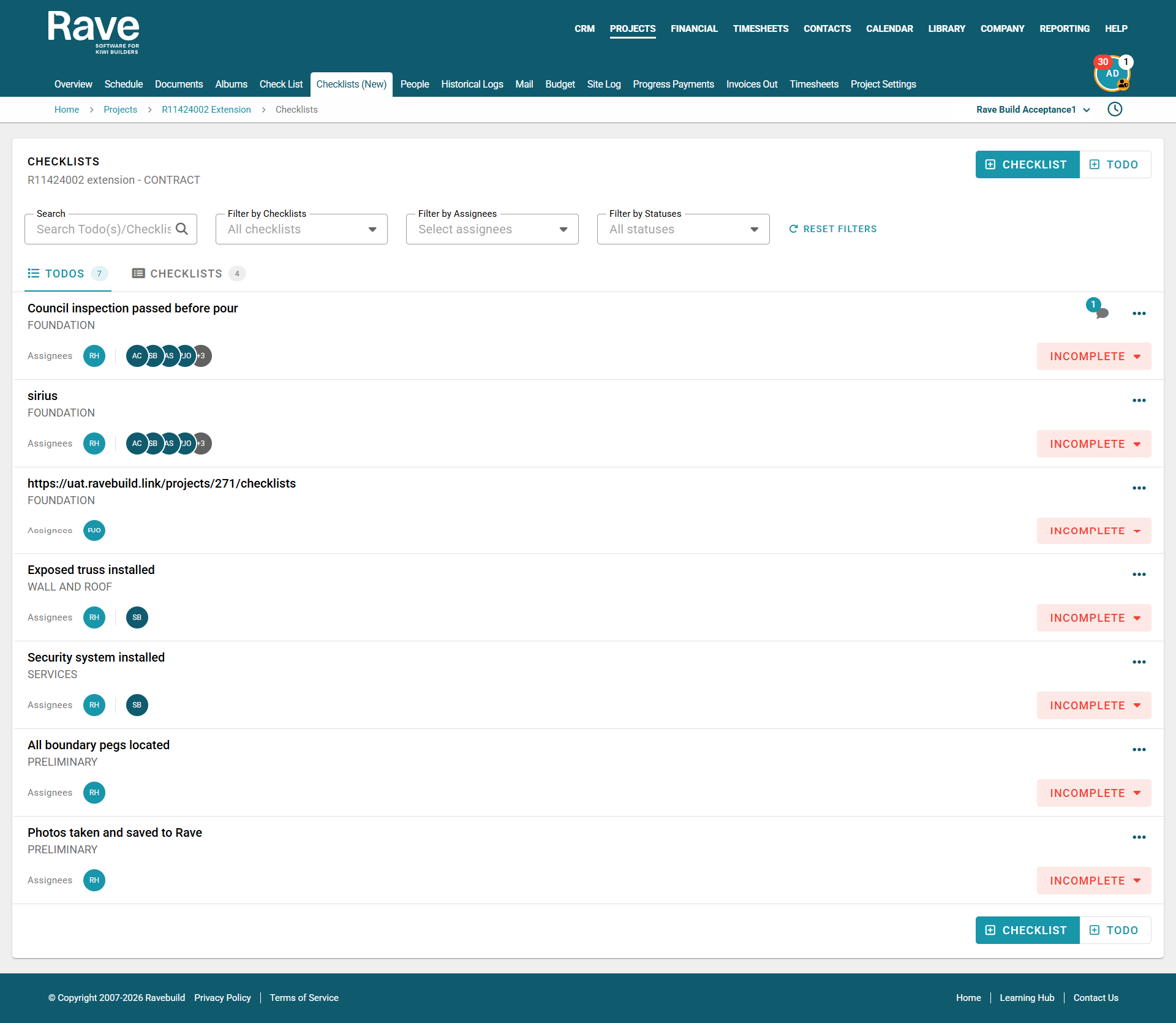
Open Projects → My Todos to see the checklist items you’re assigned to across projects, including items where you’re a secondary assignee. Filter by project, checklist or status, or search for a specific Todo. You can update a status or request Sign Off from the list when your permissions allow, jump to the Todo in its project, and print or export the list.
Staff with the View all user todos permission can switch between staff members to see what’s on each person’s list. Contractors can use My Todos to see their own assigned checklist work.
Start with a checklist your team already uses, such as a pre-handover walkthrough. Set Requires Sign Off on the checks that need a final review, then use My Todos to keep track of the work assigned to you across jobs.