Rave Build Software for NZ Builders
ABOUT
Features
All FeaturesSales & crmProject ManagementFinancial ManagementTimesheetsReporting
Showcaselatest updatesPricingContact
Sign In
Updates

Articles & Resources

News & Updates

What's New in Rave Build? Smarter Tools, Less Admin and More Control for Builders

What's New in Rave Build? Smarter Tools, Less Admin and More Control for Builders
News & Updates

Six Big Rave Build Updates You Need to Know About

Six Big Rave Build Updates You Need to Know About
New Feature

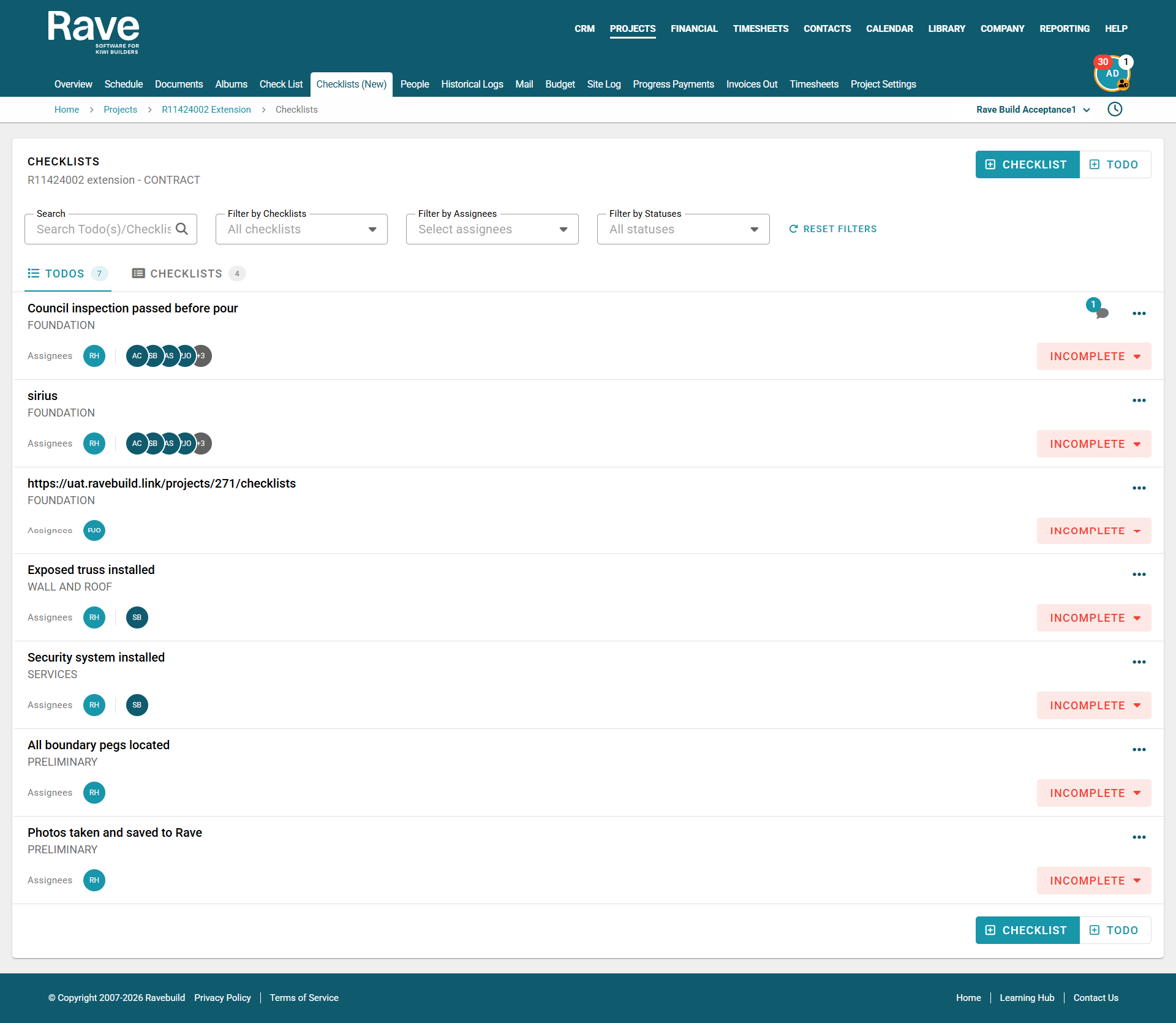
A Smarter Way to Manage Project Checklists in Rave Build

New Feature

Eliminate Double Data Entry: Streamline Your Sales with Rave Build's New Website Leads Integration Feature

New Feature

A Complete Guide to Using Your Rave Calendar

New Feature

Introducing External Email Syncing in Rave: Smarter, Simpler Communication

New Feature

Introducing My Mail and Branch Mail

New Feature

New Feature - Contractor Files

New Feature

RAVE's New Cost to Complete Report

New Feature

RAVE Update - Changing the prefix on your Purchase Orders

New Feature

Rave's Time Tracking Widget - New Feature

Latest Posts

RAVE's New Cost to Complete Report
New Feature

RAVE's New Cost to Complete Report

Our New Cost to Complete column is now live in the profitability Reports Tab inside a project in Rave Financial.

RAVE Update - Changing the prefix on your Purchase Orders
New Feature

RAVE Update - Changing the prefix on your Purchase Orders

We have now made the ability to change the prefix on your purchase orders much simpler.

Rave's Time Tracking Widget - New Feature
New Feature

Rave's Time Tracking Widget - New Feature

Time tracking enables you to clock in and out of a job when you are on-site and working on a task(s). We have updated the way you are able to clock in and out, making it easier than ever!

The Contractor Guide - Financial Button
News & Updates

The Contractor Guide - Financial Button

You can easily access all of your active quote requests via the ‘Builds Quote Requests’ section of your RAVE Home Screen/Dashboard (to the top left of your Home screen), and also via the Financial Button - to the top right of your screen.

Estimate Accept/Decline Notifications via the Estimate sub-tab - Update
News & Updates

Estimate Accept/Decline Notifications via the Estimate sub-tab - Update

When an estimate proposal is sent, via a project's Estimates Sub-Tab, an email is sent to both the primary client, and any secondary clients' email addresses.

The Project's Files Sub-Tab - Update
News & Updates

The Project's Files Sub-Tab - Update

The ‘Files’ sub-tab page is broken down into a number of file folders. The black folders are automatically loaded into each project, typically these are Plan and Specs, Images, Plan Variations, Others, Tender, Client Files, Contractors, Task Files/Photos, and Trash.


Previous
12 / 34
Next

Contact Us

NZ (07) 210 2228
info@ravebuild.co.nz
support@ravebuild.co.nz
Menu
  • Home
  • About
  • Features
  • Pricing
  • Testimonials
  • Showcase
  • Blog
  • Partners
  • Contact
  • Sign in
  • Rave Build vs buildertrend
  • Rave Build vs buildaprice
  • Rave build vs procore
  • Rave build vs wunderbuild
  • Rave build vs buildxact

Software for Kiwi Builders: Proudly Made & Supported in New Zealand .

book a demo

© 2026 Rave Build Management Ltd.

Privacy Policy

Terms & Conditions




